
YouTube 视频搜索下载 · 全程无需科学
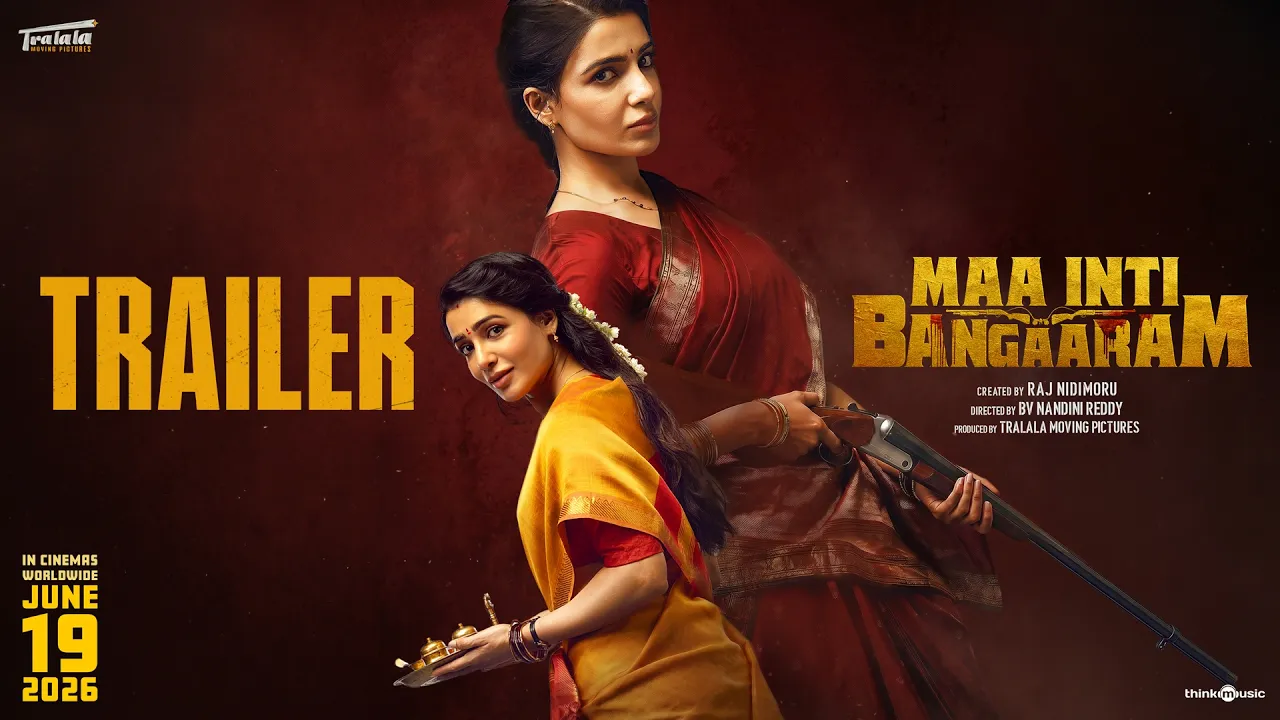
Presenting you the Official Teaser Trailer of "Maa Inti Bangaram" Starring Samantha & Others, Created by: Raj Nidimoru Directed by BV Nandini Reddy, Produced by Tralala Moving Pictures, Music Composed by Santhosh Narayanan. This GOLD is BLOODY BOLD 💥💥 Coming to Theatres June 19 2026 Created by: Raj Nidimoru Directed by: BV Nandini Reddy Produced by: Tralala Moving Pictures Producers: Raj Nidimoru, Samantha, Himank Reddy Duvvuru Director of Photography: Om Prakash ISC Music: Santhosh Narayanan Written by: Raj Nidimoru, Vasanth Maringanti Additional Screenplay: Prahas Boppudi Creative Supervisor: Sita R Menon Creative Supervisor: Sita R Menon CEO : Himank Reddy Duvvuru Editor: Dharmendra Kakarala Production Designer: Ullas Hydoor Action Director: Lee Whittaker, Aejaz gulab Choreographer : Pony Verma Costume Designer: Pallavi Singh VFX Supervisor & Post - Production Supervisor : Nikhil Koduru Fight Master: Marvel Natraj Sound Design: Pradeep G Sound Mixing: Ajith A George Executive Producer: Rakesh Reddy Gaddam Line Producer: Aryan Daggubati Direction Department: Srinivas Modukuri, Guru Kiran Bathula, Kushal Santhosh, Anvesh D, Mahesh Pallapu, Naga Vamsi Anuganti, Varsha Ria Ponnaganti, Aaditya Ruddarraju PRO: Vamsi Kaka Marketing: First Show Visual Promotions: Just Right Studioz NX Publicity Designs: Yellow tooths VFX by SARVA.FX DI: B2H Studios Audio Label : Think Music © 2026 SPI Music Pvt. Ltd. For All Latest Updates: Subscribe to us on: http://www.youtube.com/@ThinkMusicTelugu Follow us on https://www.instagram.com/thinkmusic.telugu #maainitibangaaramtrailer #samantha #santhoshnarayanan #nandini #rajnidimoru #maaintibangaaram #mibteaser
下载选项
下载列表
合成视频和音频(YouTube使用分开的视频和音频存储方式)
方式一:使用付费下载合成好的视频和音频文件
1.99 (原价 方式二:使用 PotPlayer 合并视频音频播放
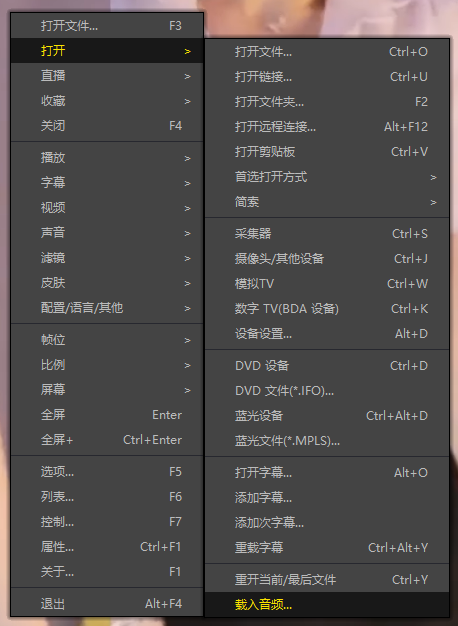
方式三:使用 FFmpeg 合并视频音频为一个文件
ffmpeg -i video.webm -i audio.weba -vcodec copy output.mp4
合成后的 output.mp4 将是有声音的
FFmpeg Download: https://ffmpeg.org/download.html
Windows: winget install ffmpeg